At What Point Does Fabric Capacity Cost Less Than Power BI Pro Licenses?

At what point does Fabric capacity cost less than Power BI Pro licenses? — Fabric & Power BI Capacity Economics, Part 1 of 2

Fabric & Power BI Capacity Economics — Part 1 of 2

I get asked some version of this question on almost every Fabric engagement: “we are interested in moving to Fabric, at what point does that make sense?” The real answer is always “it depends”, but there is a rule of thumb and exact number of pro licenses where it makes economic sense. This post is the math I’ve now walked through with enough clients that it earned its another writeup.

The short version

  • Every Power BI user already holds some license — Free, Pro, or Premium Per User. Free is normally not enough to view content.
  • On a large enough Fabric capacity (F64 or bigger), the Free license everyone already has becomes sufficient to view reports — so you stop needing to buy Pro for people who only view.
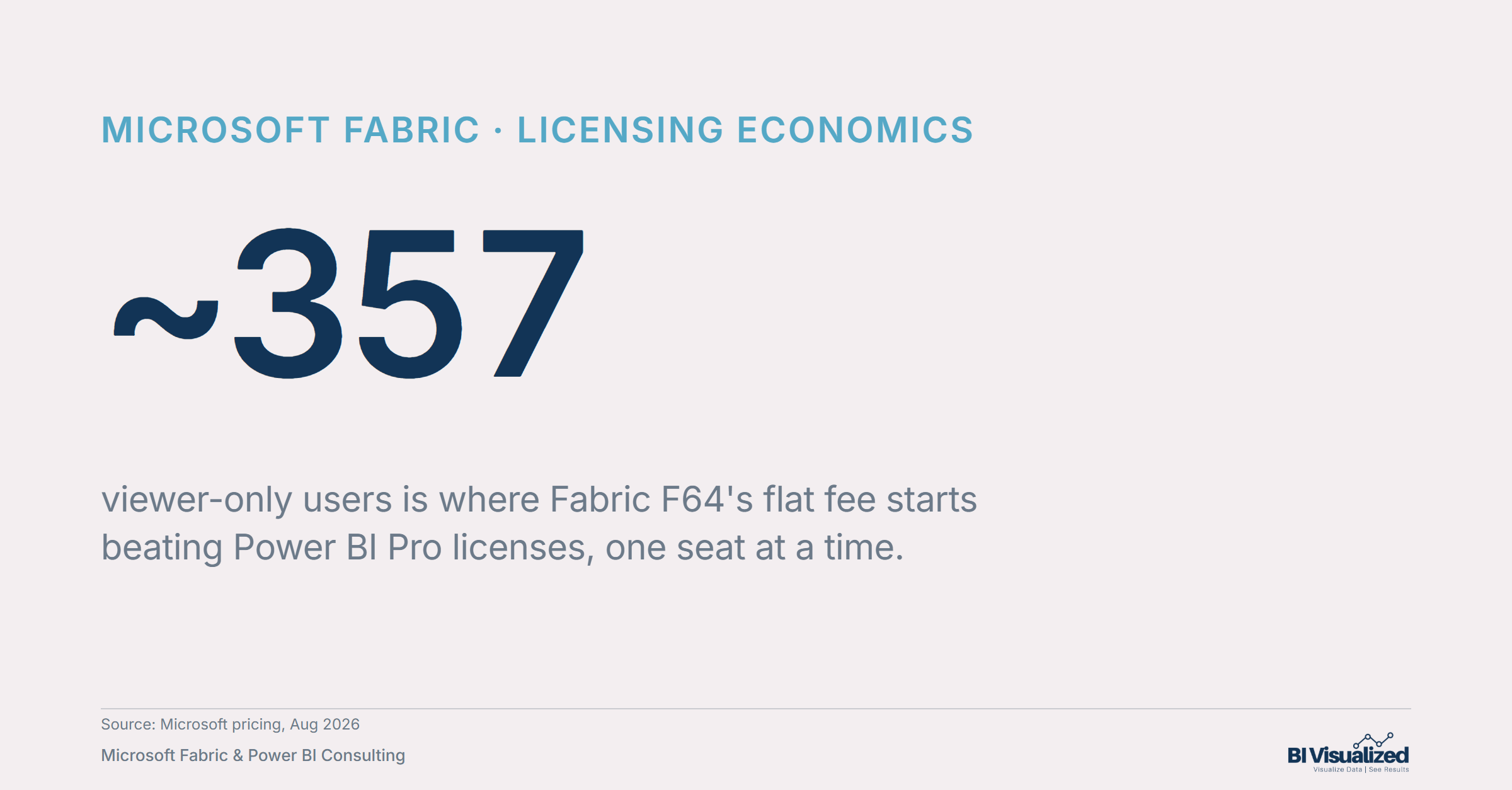
  • The economic breakeven is ~357 viewer-only users: below that, per-seat Pro is cheaper; above it, Fabric’s flat fee wins and every additional viewer costs nothing more. Note: this is only considering license math/economics, there are other many other benefits to fabric which are bundled in and can skew that number even lower.
  • This is a hard SKU floor, not a “big enough” guideline — it only kicks in at F64 and above, with no partial credit on F2/F4/F8/F16/F32.

The breakeven, in one line

Power BI Pro
$14/user/mo
Fabric F64 (reserved)
~$5,003/mo
Breakeven
~357 users
~357
The exact breakeven, in one number: below ~357 viewer-only users, per-seat Pro is cheaper. Above it, F64’s flat fee wins — and keeps winning no matter how many more viewers you add.

Power BI Pro runs $14/user/month. Note: some companies have other discounted rates established with Microsoft or partners; the math holds– just substitute your rate to calculate the break even. A reserved Fabric F64 capacity runs roughly $5k per month (though Microsoft’s own pricing calculator is region-gated, so treat it as a range rather than a bare figure). Set those equal and solve for headcount:

The breakeven formula
N × $14 = $5,003  →  N ≈ 357 users
Where the $5,003 comes from
$938/CU/year × 64 CUs ÷ 12 months = $5,002.67/month

Below ~357 viewer-only users, paying per seat is cheaper. Above it, the flat capacity fee wins outright — and it doesn’t move no matter how many more viewers you add.

~357 viewer-only users is where Fabric F64's flat fee starts beating Power BI Pro licenses, one seat at a time

Two worked examples

Two scenarios, both at 500 viewer-only users — the difference is whether you’re already carrying Fabric spend below F64:

Scenario Pro cost F64 cost Savings Breakeven
Example 1
Pro-only today, 500 users
$7,000/mo ~$5,003/mo ~$2,000/mo ~357 users
Example 2
Already running an F16 for background work (~$1,251/mo), plus $7,000/mo Pro — $8,251/mo combined
$8,251/mo ~$5,003/mo ~$3,248/mo ~268 users

What this doesn’t cover

Three things worth being precise about, because they’re where this math gets misapplied:

This is a viewer-license comparison, not a total elimination of Pro. Anyone who builds, edits, publishes, reshares, or schedules a refresh still needs a paid Pro or PPU license — on any capacity size, including F64. Free-license users are restricted to the Viewer role only.
All content (reports, models, etc) has to be hosted on the F64+ capacity itself. If reports live on a separate Power BI Pro workspace — a common hybrid pattern, and the subject of Part 2 — their viewers still need Pro licenses regardless of how big your Fabric capacity is.
There’s no partial credit below F64. F2, F4, F8, F16, and F32 all still require a paid license for every viewer. This benefit is binary, not a sliding scale — I’ve seen the assumption that “a decent-sized capacity” gets you partway there, and it doesn’t.

Beyond the license math: why move to F64 at all

The license math above only counts what you save on Pro seats. It ignores what F64 actually unlocks. Some of these are hard walls on Pro that no amount of licensing fixes:

Capability Power BI Pro Fabric F64
Semantic model size1 GB hard cap10 GB offline / 25 GB in memory; larger with Large storage format
Scheduled refreshes/day848 (effectively unlimited via XMLA)
Refresh timeout2 hours5 hours (bypassable via XMLA)
Direct Lake modeNot availableAvailable — near-Import query speed, metadata-only refresh, no data copy
Other Fabric workloads
Data Factory, Lakehouse, Warehouse, Data Science, Real-Time Intelligence
None — Power BI onlyFull platform included, same capacity and OneLake storage
Deployment pipelinesNot availableAvailable
XMLA endpoint
Tabular Editor, DAX Studio, etc.
Not available at allAvailable (read-only default; read-write is an admin toggle)
Free-viewer consumptionEvery viewer needs a paid licenseFree-license users can view (F64 is the specific threshold)
Copilot in Fabric / Power BINot availableAvailable
TermWhat it means here
Power BI ProPaid per-user license required to view content outside a qualifying F64+ workspace, and always required to author/publish/share.
Power BI FreeThe license every user already has. Sufficient to view content only when that content is fully hosted on an F64+ (or equivalent P-SKU) capacity.
Viewer roleCan open reports/apps and interact with existing visuals. Cannot edit, create, reshare, or schedule refresh.

The pattern

None of this changes the ~357-user breakeven math — that’s a pure licensing calculation. But it’s the reason clients well below that line sometimes move to F64 anyway: the model-size ceiling, the refresh cap, or Direct Lake’s near-Import speed without an Import-mode refresh cycle can matter more than the license bill.

Whenever a client’s user base skews heavily toward “people who just look at a dashboard” rather than “people who build and maintain it,” it’s worth running this math before assuming Pro-per-seat is the only option. The crossover point depends on your actual viewer count and whether you’re already carrying capacity spend below F64 — but the formula is the same every time: compare the flat fee to the per-seat total, and check whether your reports are actually hosted where the free-viewer benefit applies.

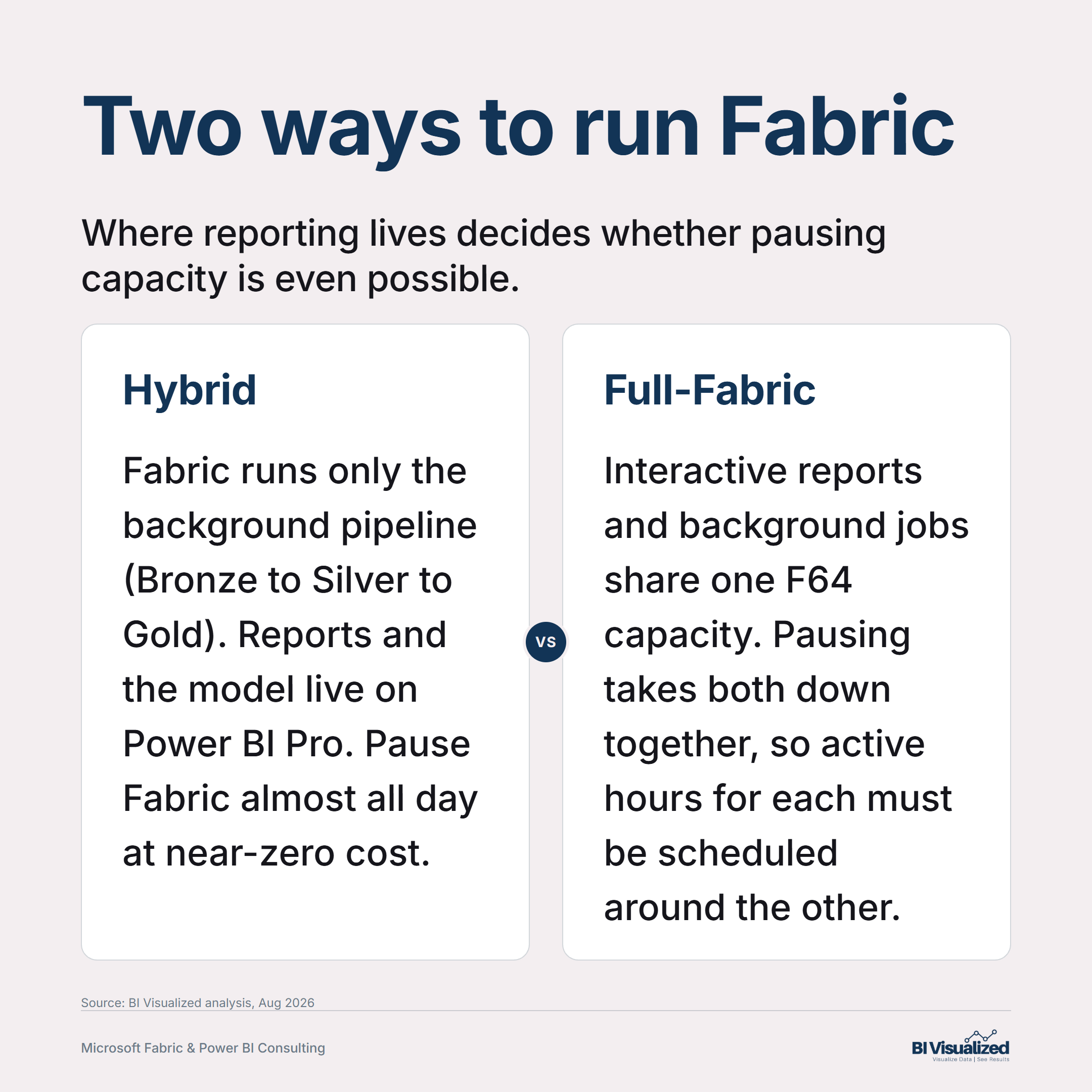
Part 2 covers the other half of this decision: once you’re on Fabric, should that capacity be reserved for a year or paid by the hour — and how does your architecture (where reporting lives relative to background jobs) change the answer?

Curious whether your org is past the ~357-user line, or whether a hybrid setup would serve you better? Book a discovery call and we’ll walk your actual numbers, not the rule of thumb.


About the author
— Jake Prevost, BI Visualized | Microsoft Fabric & Power BI Consulting

References

Pricing verified: August 2026. Microsoft pricing changes periodically — confirm current rates before a purchasing decision.

The Book That Taught Me to Stop Blaming the Symptom

Most business books I read once and shelve. A few I keep coming back to. Peter Senge’s The Fifth Discipline is one of the few.

It came out in 1990. I didn’t read it to run a consulting firm — I read it years before that, as an engineer at big companies trying to understand why smart people in well-run organizations kept getting bad outcomes. It stuck. And the longer I’ve worked, the more I’ve watched its ideas play out in real rooms with real teams.

Here’s why it still matters to me — and the one idea I’d hand to anyone leading a team today.

The short version

  • Senge’s whole argument is that organizations have learning disabilities — built-in patterns that keep smart people from seeing what’s actually happening.
  • The cure is five disciplines, and the one that ties them together is systems thinking: seeing the whole instead of your slice of it.
  • The disability that hits hardest — “I am my position” — is everywhere, and it’s usually invisible until something breaks.
  • It’s a slow read with a long shelf life. I still use its language to describe problems I see every week.

The five disciplines

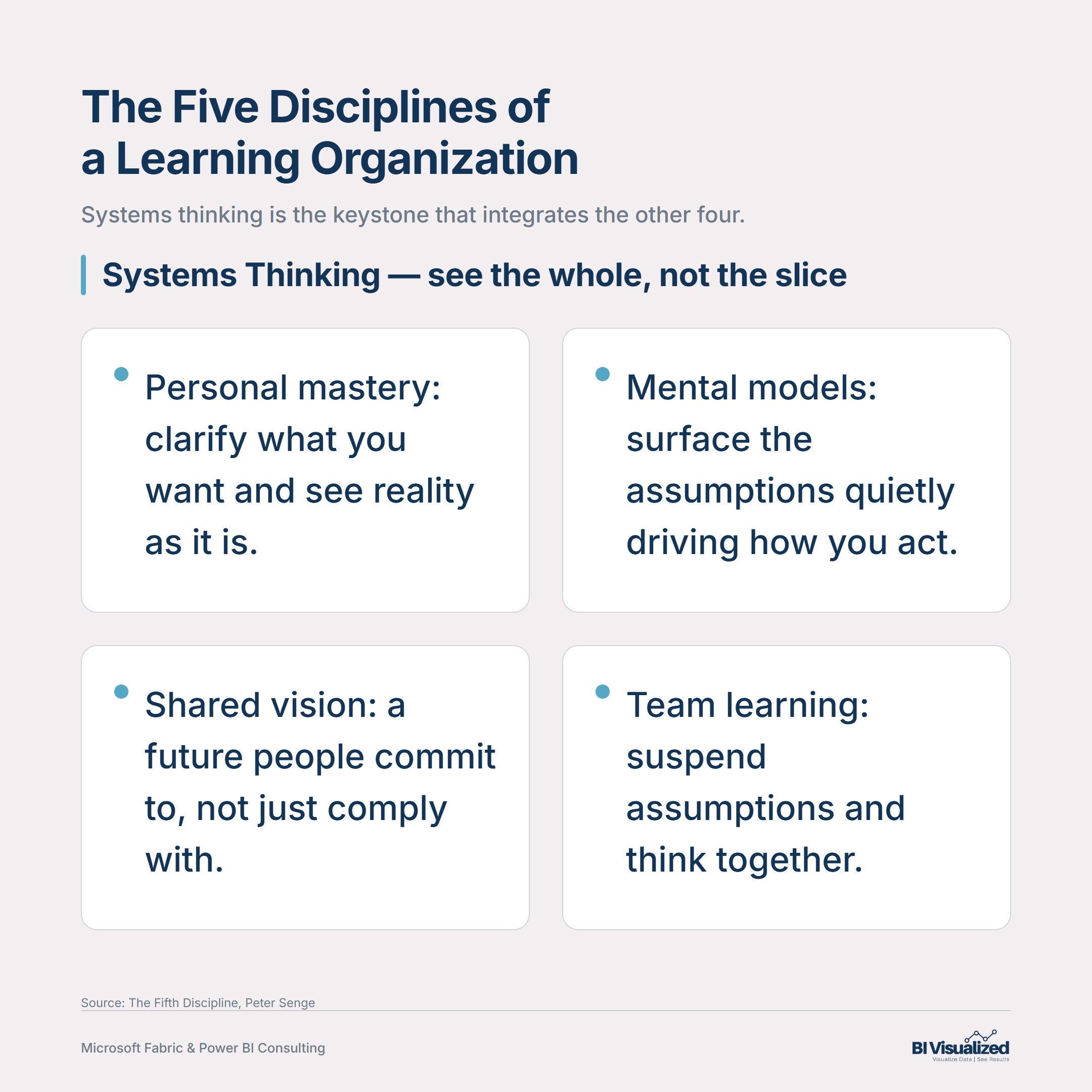
The spine of the book is five disciplines a “learning organization” has to practice:

  1. Personal mastery — continually clarifying what you actually want and seeing reality as it is, not as you wish it were.
  2. Mental models — surfacing the deep assumptions you don’t know you’re carrying, because they quietly drive how you act.
  3. Building shared vision — a picture of the future people are genuinely committed to, not just complying with.
  4. Team learning — the capacity of a group to suspend their assumptions and actually think together.
  5. Systems thinking — the fifth discipline, the one that integrates the other four. Seeing the whole structure, not just the events on the surface.
The five disciplines of a learning organization, with systems thinking as the keystone integrating personal mastery, mental models, shared vision, and team learning.

What makes it more than a list is the claim that the fifth one is the keystone. Shared vision gives you the commitment to stay with hard problems. Mental models give you the honesty to admit your current view is incomplete. Team learning gets a group past individual perspectives. And personal mastery supplies the motivation to keep learning how your own actions ripple outward. Pull systems thinking out and the other four don’t add up to much.

The disability I see most: “I am my position”

Senge lists seven organizational “learning disabilities,” and the first one is the one I notice constantly.

“I am my position.” People come to see themselves as their job — an inconsequential part of a system they have little influence over — so they narrow their attention to the tasks right in front of them. When the whole enterprise underperforms, nobody can say why, because everyone was busy doing their part correctly. The failure lives in the spaces between the positions, where no single person was looking.

I’ve watched this one play out more times than I can count. Every department is doing its job. Every report is “right.” And yet leadership can’t get a straight answer to a simple question, because the answer lives in the seams between the positions — and nobody owns the seams.

The other disabilities rhyme with it: “the enemy out there” (the problem is always someone else’s fault), the fixation on events (we react to the dramatic spike and miss the slow drift that actually kills us — Senge’s boiling frog), and the delusion of learning from experience (we never see the consequences of our biggest decisions because they play out somewhere else, much later).

The laws that have aged the best

There’s a section he calls the Eleven Laws of the Fifth Discipline. A few have lodged permanently in how I think:

  • Today’s problems come from yesterday’s “solutions.” The quick fix that worked last year is often the root of this year’s mess.
  • The harder you push, the harder the system pushes back. Force a number up in one place and the system quietly compensates somewhere you’re not watching.
  • Cause and effect are not closely related in time and space. The thing causing your pain today probably happened a while ago, somewhere else entirely.
  • Small changes can produce big results — but the areas of highest leverage are often the least obvious. The fix that matters is rarely the one everyone’s arguing about.

That last one is the whole game. Most effort goes to the loudest symptom. The leverage is usually somewhere quiet.

The leader’s job, reframed

The part that’s aged best for me is how Senge reframes leadership. Not the hero at the front — three quieter roles:

  • Designer — willing to experiment, break the mold, and build the conditions for others to contribute, rather than supplying every answer.
  • Teacher — inviting people into a space made for learning, in service of them.
  • Steward — serving a larger purpose; deciding what to conserve as much as what to change, and keeping the original intent in view.

It’s a humbler picture of leadership than the one we usually celebrate, and I think it’s the more honest one.

Why it still shapes how I work

I came up as an engineer. Systems thinking is native to that world — you learn fast that you can’t fix a system by staring at one component. Senge took that instinct and gave it language for organizations, not just machines. That’s why the book stuck.

And it turns out to be exactly the lens I bring to the work I do now. When a leadership team can’t get one trustworthy number, it’s almost never because a single report is broken. It’s “I am my position” wearing a spreadsheet — every group measuring its own slice, no shared picture of the whole. The fix isn’t a prettier dashboard. It’s helping the organization see the whole together. Senge’s words, written long before anyone was arguing about data platforms, but they fit.

Your turn

Next time something in your organization isn’t working, try resisting the urge to name the symptom. Ask instead: what’s the system producing this? The answer is usually quieter, slower, and further away than the thing you were about to blame.

If you’ve read The Fifth Discipline, I’d love to know which idea stuck with you. And if your team is wrestling with the “everyone has their own number” version of this, that’s the kind of problem we like — happy to talk it through.


— Jake Prevost, BI Visualized | Microsoft Fabric & Power BI Consulting

Building Data Warehouse Naming Standards Your Team Won’t Fight You On

Every data warehouse I review has either no naming standard or five stacked on top of each other -- Naming Standards Your Team Won't Fight You On

I’ve reviewed a lot of data warehouses. The pattern is almost always the same — either there’s no naming standard, or there are five different ones layered on top of each other depending on which developer was around when each table got added.

Mixed casing. Cryptic abbreviations. Some tables prefixed tbl_, others dw_, others nothing at all. Foreign keys named three different ways across three sibling tables.

It may sound like minor mess, but it’s actually a debt that will be paid in perpetuity.

Every developer who joins the project pays it. Every report that gets built pays it. Every audit, every migration, every “where did this column come from?” question pays it. And it’s all preventable.

The short version

  • Decide casing once — PascalCase, camelCase, or snake_case — and never mix them within a layer.
  • Decide on standard nomenclature (prefix, naming, suffixes, etc) — and apply them everywhere, not just where it’s convenient.
  • Naming isn’t just cosmetic — it encodes your medallion-layer contract (raw vs. cleaned vs. business-ready) so anyone can tell what a table is allowed to do just by reading its name.
  • There’s more than one legitimate way to name a table (Kimball-style, domain-driven, source-prefixed, catalog-driven) — the trade-off is discoverability vs. governance overhead, not “right vs. wrong.”
  • The standard only survives if it’s written down and applied at the layer where names become final — not re-litigated table by table.

Why this is a governance problem, not a style problem

Most teams treat naming as a preference — something to bikeshed in a Slack thread and then ignore. That’s the wrong frame. A naming standard is the cheapest form of documentation you’ll ever write, because it’s documentation that’s impossible to skip. Every table, every column, every pipeline already has a name. The only choice is whether that name is informative or accidental. It’s something small that can be done upfront that pays big dividends.

Here’s the test I use: can a new hire, six months in, with minimal training, look at a table name and know what layer it lives in, what it’s for, and what’s safe to do with it — without opening a data dictionary? If not, the naming standard isn’t doing its job.

Pick your layer contract first

Before you touch casing or suffixes, decide what your medallion layers actually promise. We run most Fabric engagements on the same three-layer contract:

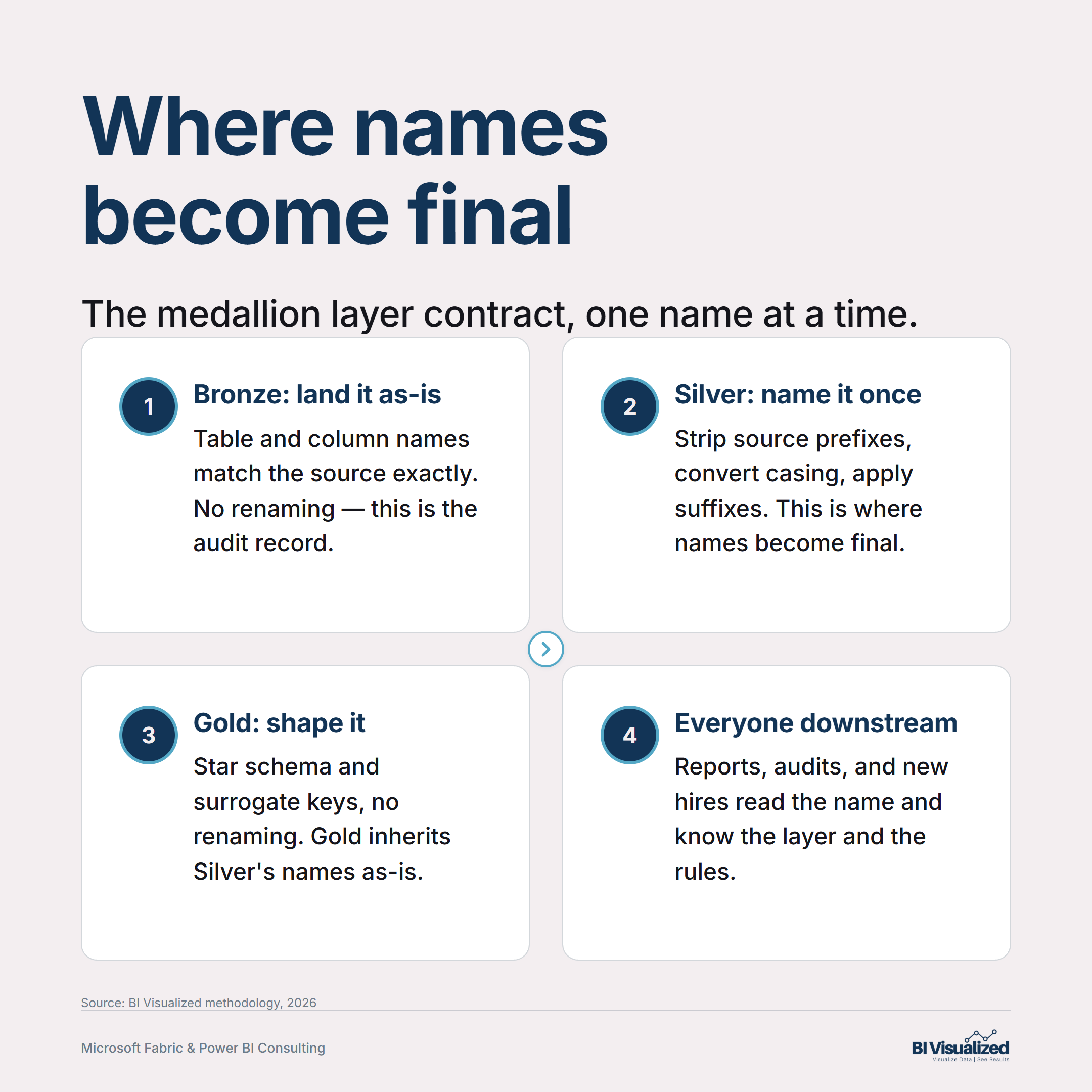
  • Bronze — the faithful landing zone. Table and column names match the source exactly. No renaming, no casing changes. This is the audit record; if you rename here, you’ve broken the one place that proves what the source actually delivered.
  • Silver — where names become final. This is the one layer where renaming should happen — source prefixes stripped, acronyms treated as words (Id not ID, Url not URL), everything converted to a consistent case. Once a field is named in Silver, Gold and the semantic model inherit that name without further changes.
  • Gold — business-ready, no renaming. Gold shapes the star schema and adds surrogate keys, but it does not rename what Silver already named. If Gold is renaming things, that’s a sign Silver skipped a step.
Diagram showing the medallion layer naming contract: Bronze lands data unchanged as the audit record, Silver is where names become final, Gold shapes the star schema without renaming, and everyone downstream reads the name to know the layer and the rules

Getting this sequencing right solves half the naming debate before you’ve picked a single prefix — because most naming fights are actually layer-boundary fights in disguise (“why did this get renamed here?”).

Four ways to name a table

There’s no single industry-standard table naming convention — and pretending there is just sets you up to fight the wrong battle. Here are the four real patterns for naming a table, what each buys you, and what it costs. (Note: “source” here always means the source-of-record system that generated the data — an ERP, an EHR, a CRM, an internal app — never the database platform underneath it. A table’s source is NetSuite or Salesforce; it is not “Fabric” or “Snowflake,” which is just where the table happens to live.)

Approach 1
Kimball-style dimensional naming

Dim/Fact suffixes and Key surrogate-key columns trace back to Ralph Kimball’s The Data Warehouse Toolkit (1996), and the convention hasn’t meaningfully changed since — dbt’s modern "marts" layer uses the identical pattern under a new label. FactSales, DimCustomer reads instantly to any BI person, on any platform, with zero tooling required.

Trade-off: it says nothing about business domain or source system. FactSales doesn’t tell you whether the data came from Salesforce or a homegrown order system. Fine for the reporting layer; thin everywhere else.
Approach 2
Domain-driven naming (data-mesh style)

The table name carries the business domain instead of the object type — Orders.Orders, Billing.HoursBilled — with ownership and governance distributed to the teams that know that domain best.

Trade-off: this is a real organizational commitment, not just a naming choice. It requires federated governance to keep conventions consistent across domains — relabeling an existing IT team as "the Orders domain" without giving them real ownership gets you the vocabulary without the substance. High payoff, high setup cost.
Approach 3 — what we run at BIV
Source + entity + class prefixing

The table name encodes three things — which source system the data came from, what business entity it represents, and what class of table it is (fact, dimension, staging, lookup) — plus the schema it lives in signals which layer produced it.

Trade-off: it’s the most information-dense pattern, which is also its cost — a multi-part name is longer and needs a documented abbreviation list (which two letters mean which source system) so it doesn’t turn into tribal knowledge. Worth it once you have more than one source system landing in the same warehouse; overkill for a single-source shop.
Approach 4
No prefix, rely on the catalog

Let a data catalog or documented lineage carry the source/class signal instead of encoding it in the table name — Billing.hours_billed, clean and readable on its own.

Trade-off: reads cleanly and ages well, but only if the catalog is actually maintained and consulted. Without one, a flat list of Orders, OrdersStaging, OrdersFinal degenerates fast, and the table name alone tells you nothing about where the data came from.

None of these is objectively correct. The honest comparison is discoverability vs. governance overhead — a source-prefix scheme costs almost nothing to adopt and pays off immediately once you have two or more source systems landing side by side; a domain-driven scheme costs real organizational effort but scales better as the platform grows past what one team can hold in their head.

A concrete example: one table, four ways

Take a fact table recording billed hours from NetSuite, joined with an internal calculated margin.

Approach Name What it tells you
Kimball-style FactBilling It’s a fact table. Nothing about source system.
Domain-driven Billing.HoursBilled It belongs to the Billing domain. Nothing about source system.
Source + entity + class (BIV’s standard) dbo.nsBillingFact Source (ns = NetSuite, the specific system), entity (Billing), class (Fact) — and the schema (dbo) tells you it’s Gold.
No-prefix / catalog-driven Billing.hours_billed Clean to read; correct only if the catalog is actually maintained and consulted.

We default to the third pattern specifically because it survives being read outside a catalog — in a PR diff, a DAX expression, an error log — with zero ambiguity about which source system produced the row.

Columns need the same discipline as tables

Table naming gets the design-review attention; column naming is where inconsistency actually lives day to day. Whichever table-naming approach you pick, apply a fixed suffix list to every column in Silver and Gold, with no exceptions — Bronze still preserves source column names as-is, per the layer contract above:

  • Id for keys — never ID. Treat every acronym as a word (Url, Api, Npi) — not URL, API, NPI. It looks pedantic until you’re writing a regex against a table with both.
  • Date vs. DateTime vs. UtcDateTime — pick based on what’s actually stored, not habit. A HireDate that’s secretly a timestamp will eventually produce a timezone bug nobody can explain from the name alone.
  • Amount, Pct, Hours, Count, Rate — units belong in the name. Utilization tells you nothing; UtilizationPct tells you the scale before you’ve run a single query.

None of this is exciting. That’s the point — a good naming standard is boring by design, because boring is what makes it enforceable without a governance meeting every sprint.

The pattern

Decide your layer contract first — where names get finalized and where they don’t. Pick one of the four table-naming approaches deliberately, based on how many source systems you’re actually integrating and your real governance capacity, not on what looked good in someone else’s blog post. Then hold the column-suffix list fixed regardless of which table-naming approach you chose. The standard doesn’t need to be clever. It needs to be written down, applied at the layer where it matters, and never re-litigated table by table.

Your turn

If you audited your own warehouse today, how many different naming conventions would you find layered on top of each other — and could a new hire tell your Bronze tables from your Gold ones just by reading the names?

If you want a second set of eyes on your data platform’s structure — naming included — book a discovery call and we’ll walk through it.

— Jake Prevost, BI Visualized | Microsoft Fabric & Power BI Consulting

It’s Time to Pay Attention: What Six Months Deep in AI Taught Me

AI is getting better — a lot better.

A year ago, AI tools felt like a roulette wheel. Some answers were great. Most were generic. Plenty were just chat-and-transfer with extra steps.

That has changed.

I’ll be honest: I was behind going into 2026. I’d spent the prior two years too heads-down on client projects to go deeper than what the big names were showing on the surface. If you know me, you know I’m naturally skeptical and grounded in results, not hype. So when I tell you it’s time to pay attention, it’s not because I got swept up in it — it’s because I finally sat down, did the work, and saw it for myself.

Here’s the honest version of how I got there, and the five things I’d tell anyone starting now.

The short version

  • A grounded skeptic’s six-month deep dive into AI in 2026 — and what actually changed.
  • The breakthrough isn’t smarter chat — it’s context plus your real tools wired in.
  • Five lessons for using AI in a professional services business — and the guardrails that keep client data safe.

The false starts

From roulette wheel to coworker: 2023 ChatGPT, impressive but I was always the middleman; 2024 Microsoft Copilot, tried twice and still not ready for how I work; 2026 Claude Code, the breakthrough.

I jumped in early. When ChatGPT took off in early 2023, I was one of the first adopters — downloaded it, paid for Pro, used it for the better part of a year. It was genuinely impressive; there was nothing else like it.

Then in 2024 I tried Microsoft Copilot. I want to be fair here: I’m a Microsoft shop, I build on their stack every day, and I respect what they’re doing — but not every product lands the same, and at that point Copilot wasn’t ready for the way I work. The pitch was perfect: connect into my Microsoft ecosystem and take on the admin side of consulting — intake, contracts, meetings, design docs, training. I bought licenses mid-project hoping for help in the thick of it. What I got was connection issues, formatting headaches, the occasional hallucination, and enough friction that I lost time I didn’t have. I set it down and went back to ChatGPT — it did what I needed, when I needed it.

A year later Microsoft came back around with an improved Copilot and a discount, so I gave it another honest shot. Better — but still not enough to change how I worked. So I stuck with ChatGPT and ate the subscription.

Here’s the thing, though: even with ChatGPT, I was always the middleman. It could tell me how to do something, or draft something I’d then have to fix — but it couldn’t actually do the work. I kept hearing acquaintances and podcasters rave about Codex and Claude Code, so I knew something was shifting. I just hadn’t made the time to find out. I was working in my business, not on it — and with three young boys and everything that comes with that, “later” kept winning.

The decision

In early 2026 I changed that. I made a deliberate call to carve out at least 20 hours a week to work on the business — and AI was the centerpiece.

I started where a skeptic should: researching the frontier labs and what actually separated them. What I kept coming back to was a simple shift in what I needed. I didn’t need an AI that could tell me how — I needed one that could produce the deliverable. Do the work, not narrate it. From what I was reading, Anthropic’s Claude was built to do exactly that, so I signed up.

(Honesty tax: at this point I was paying for ChatGPT, Copilot, and Claude. I’d signed up partly for a new tool called Cowork — then found out it was Mac-only at launch and I’m on a PC. Mild letdown. I kept testing anyway.)

A bit later Cowork came to PC, and I started there — it was closer to what I needed. But it nagged at me that Claude came in three flavors — Chat, Cowork, and Code — and I didn’t really understand the difference between them. So I tried each. Long story short: Claude Code was the one. That’s where I found the real powerhouse.

The lightbulb

I read through Anthropic’s documentation and found a few sharp writers explaining how Claude gets context — and why context is the whole game. The building blocks turned out to be surprisingly simple:

  • Markdown files — a plain-English file that tells the model who you are and how you work.
  • Skills — written standards for how to do a specific task or process.

None of it is code. It’s clear instructions written in plain English. What surprised me was how powerful that was. The real lightbulb went off when I connected Claude to my computer and watched it read and edit my own files. That’s the moment it stopped being a chatbot and started being a coworker.

Context — markdown files, skills, and rules — plus Tools — MCP connections to your systems — combine into an AI coworker that does real work to your standards.

The bet: learn AI by rebuilding my own business

I learn by building. I can sit with theory, but it doesn’t lock in until I make something real. So I asked: what if I learn this tool by using it to improve my own consulting business?

My engineering background kicked in. Years of process work at large companies like Boeing and UTC taught me to standardize the documenting process before documenting anything else. So that’s where I started. With Claude, I spent about 20 hours putting my entire business on paper — six years of consulting and 25 years of experience, mapped out. That alone was worth it. For the first time, I could see the whole thing clearly, spot the contradictions, and start improving it. And honestly, doing that simply wasn’t practical without AI help.

That’s when the bigger opportunity hit me. My processes and tech stack had grown organically — human-first. Luckily, I didn’t have years of tech debt, and I was nimble enough to change. I had the opportunity to become an AI-first business. So I re-evaluated my whole stack through one lens — what plays well with AI and what doesn’t — and moved my core systems (project management, notebooks, deliverable docs) to tools that do. Then I found or built the connections so Claude could actually work inside them.

Guardrails first

Here’s where I slowed down on purpose. The moment an AI can read and write to your real systems, it’s powerful — and that’s exactly where you have to be careful. I treated client safety as a hard constraint, not an afterthought, and I built to it before doing anything else.

The line I drew: Claude helps run BI Visualized’s own business — my admin, scheduling, and documentation — inside my own environment. It never connects to a client’s database or their systems. And the enterprise AI I use operates under terms that bar it from training on my inputs or using them for its own purposes. Client systems stay where they belong: with the client. Guardrails first, capability second.

Building the machinery

With the foundation set, I went after the time sinks. I ran the equivalent of a Pareto analysis on my own processes — which steps eat the most hours? — and started there. Then, like a good engineer, the first thing I built was a tool to build the other tools: a standard way to create new “skills,” with validation, feedback loops, and version control baked in so they’d last.

Then I built. It took about three weeks to create and validate the skills and rules for my most important processes. This is where it gets real: those skills and rules guide Claude to take actions inside my systems, to my standards, every time. That was version one — and I was already seeing big gains. But I needed to test it on real work, carefully, because the blast radius of a mistake is real.

So I moved out of the sandbox onto a live client lifecycle — Intake → Discovery → Development — validating process by process, skill by skill, making sure each one did exactly what I wanted.

What it actually did

My conclusion: this is a force multiplier in three distinct ways.

  1. More capable. I can do a wider range of things and do them well.
  2. Higher quality. I’m human — I don’t have the bandwidth or memory to be as consistent and detailed as world-class work demands. AI does, and it keeps me honest.
  3. More productive. For the same input (plus some tokens), it multiplies my output 2-10x depending on the task. A concrete one: a client proposal and contract that used to take me half a day or more now takes about an hour — and the result is higher quality and more consistent.

Half a day → about an hour

What a client proposal and contract now takes — at higher quality, and more consistent.

That third point is what most people are still underestimating. It’s why a small professional services firm can now operate at the throughput of a much larger team — a near-solo owner doing the work that used to take three people.

Five things I learned

Context is king. It’s what takes an AI tool from smart to truly useful. The same model with the right context around it is a different tool entirely.

There are levels to this. If you skip levels, you won’t get the results you want. You have to build the foundation first.

Simplify aggressively. Simple, well-designed architecture almost always beats unnecessary complexity. Less is more — every time.

Teach the AI to help you build the system early. This is where the real power shows up. Do this, and the system starts building and improving itself.

Don’t trust blindly. We’re still early. There’s no “easy button” where AI just does everything without your input or oversight. Think of it as a very smart, very fast new employee you have to guide and train. Done right, it moves quickly from newbie to capable, to better than you in certain areas — exactly how top talent does.

The pattern

Here’s the part everyone wants to skip straight to. Once the foundation is in place — the AI-first stack, the connections into your tools, the guardrails, and a repeatable way to build skills — the pattern is the same every time: take a repeatable cognitive task, codify the standard, wire the AI into the actual tools, and iterate. The first version is rough; the fifth is faster than I am, and more consistent.

But that repeatability is earned. The pattern only runs this cleanly because the foundation underneath it carries the weight. Skip the foundation and every one of these steps gets harder and more fragile — which is exactly why the levels matter.

The pattern as a repeatable engine that runs on top of your foundation: take a repeatable task, codify the standard, wire in the tools, and iterate from a rough v1 to a v5 faster than you — all sitting on a foundation of an AI-first stack, MCP connections, guardrails, and a system to build skills.

What’s next

Since then, I’ve gone deeper — fine-tuning what I built and moving into agents: AI that can take on more responsibility and run more independently. The further I get, the more thankful I am that I set the foundation first, because agents carry a much larger blast radius. And the more I learn, the more I see how much is still left to learn. We’re early — which is exactly why now is the time to start.

Your turn

Where in your work is there a repeatable cognitive task that costs you 30+ minutes today — and what’s stopping you from codifying it?

If you’re trying to figure out how to get started on your AI journey, I’m happy to share my thoughts in more detail — book a 30-minute discovery call.

— Jake Prevost, BI Visualized | Microsoft Fabric & Power BI Consulting

Jake Prevost, founder of BI Visualized

About the author

Jake Prevost is the founder of BI Visualized, a Microsoft Fabric & Power BI consultancy helping mid-market leadership teams turn scattered data into decisions they can trust. He writes about AI, data strategy, and building an AI-first practice. Book a 30-minute call.